
A totally based cluster engine for ESP8266 microcontrollers with automatic node discovery, health monitoring, and over-the-air updates. Built for real-time control of distributed embedded systems.
Core
Cluster engine firmware for ESP8266 microcontrollers
Auto Discovery
UDP-based node discovery with automatic cluster membership
Health Monitoring
Real-time node status tracking with resource monitoring and automatic failover
Event System
Local and cluster-wide event publishing/subscription with WebSocket and UDP streaming API
OTA Updates
Seamless firmware updates across the cluster via HTTP API
Service Registry
Dynamic API endpoint discovery and registration for custom services
Task Scheduler
Cooperative multitasking system for background operations
Quick Start
#include <Arduino.h>
#include "spore/Spore.h"
#include "spore/Service.h"
#include "spore/core/ApiServer.h"
#include "spore/core/TaskManager.h"

class HelloService : public Service {
public:
    HelloService() {}

    const char* getName() const override { return "HelloService"; }

    void registerEndpoints(ApiServer& api) override {
        api.registerEndpoint("/api/hello", HTTP_GET, [](AsyncWebServerRequest* req) {
            req->send(200, "application/json", "{\"message\":\"hello\"}");
        });
    }

    void registerTasks(TaskManager& taskManager) override {
        taskManager.registerTask("heartbeat", 1000, [this]() { this->heartbeat(); });
    }

private:
    void heartbeat() {
        // e.g., blink LED, publish telemetry, etc.
    }
};

Spore spore({
    {"app", "my_app"},
    {"role", "controller"}
});

void setup() {
    spore.setup();
    spore.registerService(new HelloService());
    spore.begin();
}

void loop() {
    spore.loop();
}
Technical Specifications
- Supported Hardware: ESP-01/ESP-01S (1MB Flash), Wemos D1 (4MB Flash)
- Discovery Protocol: Discovery and heartbeat via UDP broadcast
- API Interface: RESTful HTTP + WebSocket and UDP streaming
- Dependencies: ESPAsyncWebServer, ArduinoJson
- Framework: Arduino with PlatformIO build system
Gateway
Gateway service providing UDP-based node discovery, cluster management, and API endpoints
Node Discovery
UDP-based discovery listens for heartbeat messages from SPORE nodes on port 4210 with automatic cluster membership
Cluster Management
Real-time node status tracking, primary node selection, and automatic failover for high availability
WebSocket Server
Real-time cluster updates and event broadcasting to all connected WebSocket clients
MQTT Integration
Subscribe to all MQTT topics and forward messages to WebSocket clients for unified event streaming
Rollout System
Orchestrated firmware updates across multiple nodes with parallel processing and progress tracking
Proxy API
Generic proxy calls to SPORE node capabilities with automatic failover and load balancing
Architecture & Integration
SPORE Gateway acts as the central orchestrator for the SPORE cluster, bridging the gap between SPORE nodes and the UI. It integrates seamlessly with the SPORE ecosystem and external systems through multiple protocols.
Core Components
- UDP Discovery: Listens on port 4210 for node heartbeats and maintains cluster membership in real-time
- HTTP API Server: RESTful endpoints for cluster management, node control, and firmware operations
- WebSocket Server: Broadcasts cluster updates, events, and rollout progress to all connected clients
- MQTT Client: Optional integration to subscribe to MQTT brokers and forward messages via WebSocket
- Registry Proxy: Integrates with spore-registry for firmware storage and retrieval
- Failover Logic: Automatic primary node switching when nodes go offline
MQTT Integration
Enable MQTT integration to stream events from external IoT devices and systems:
# Start gateway with MQTT integration
./spore-gateway -mqtt tcp://localhost:1883

# With authentication
MQTT_USER=username MQTT_PASSWORD=password \
  ./spore-gateway -mqtt tcp://broker.example.com:1883
When enabled, the gateway subscribes to all MQTT topics (#) and forwards messages to connected WebSocket clients, allowing the UI to display both SPORE cluster events and external MQTT events in real-time.
Rollout Orchestration
The rollout system manages parallel firmware updates across multiple SPORE nodes:
- Automatic Node Discovery: Identifies matching nodes based on firmware labels and current versions
- Parallel Processing: Updates multiple nodes simultaneously using goroutines
- Real-time Progress: WebSocket broadcasts show update status for each node
- Error Recovery: Continues rollout even if individual nodes fail
- Registry Integration: Seamless integration with spore-registry for firmware storage
Technology Stack
- Language: Go (Golang)
- Framework: Standard library net/http with Go 1.22 ServeMux
- WebSocket: gorilla/websocket for real-time communication
- MQTT: Eclipse Paho MQTT client library
- Logging: Structured logging with logrus
- Concurrency: Goroutines and channels for parallel operations
Registry
Storage backend and update server for managing versioned firmware binaries
Hierarchical Storage
Firmware binaries stored in hierarchical structure: registry/{name}/{version}/firmware.bin with semantic versioning support
SQLite Metadata
Metadata storage with labels for flexible querying, version management, and deployment tracking
REST API
Simple HTTP endpoints for upload, listing, download, and update operations with full CRUD support
Rollout Integration
Seamlessly integrated with Gateway for orchestrated firmware deployment across cluster nodes
Version Management
Semantic versioning support with unique name-version constraints and version history tracking
Label System
Flexible key-value labels for organizing and querying firmware by app, role, or custom attributes
Architecture & Role
SPORE Registry serves as the central firmware storage and management system for the SPORE ecosystem. It provides versioned storage for firmware binaries, enabling the Gateway to orchestrate firmware rollouts across cluster nodes. The registry integrates seamlessly with the Gateway's rollout system, providing the firmware binaries needed for over-the-air updates.
Storage Structure
Firmware is stored hierarchically in the file system:
registry/
├── base/
│   ├── 1.0.0/
│   │   └── firmware.bin
│   └── 1.1.0/
│       └── firmware.bin
└── sensor/
    └── 2.0.0/
        └── firmware.bin
This structure allows easy organization and access to firmware versions by name and version number.
Integration with Gateway
The registry is tightly integrated with the Gateway's rollout system:
- Firmware Lookup: Gateway queries the registry to find matching firmware for deployment
- Label Matching: Firmware can be organized with labels (app, role, target) for automated deployment
- Version Tracking: Registry maintains version history for rollback and audit purposes
- Binary Distribution: Gateway proxies firmware downloads to nodes during rollout
- Deployment Automation: Full integration with Gateway's rollout orchestration for cluster-wide updates
Usage Examples
# Upload firmware
curl -X POST http://localhost:3002/firmware \
  -F "metadata={\"name\":\"base\",\"version\":\"1.0.0\",\"labels\":{\"app\":\"base\"}}" \
  -F "firmware=@firmware.bin"

# List firmware
curl http://localhost:3002/firmware

# Download firmware
curl http://localhost:3002/firmware/base/1.0.0 -o firmware.bin

# Health check
curl http://localhost:3002/health
Environment Configuration
The registry supports the following configuration via environment variables:
- PORT: Server port (default: 3002)
- DB_PATH: Database file path (default: ./registry.db)
- REGISTRY_PATH: Firmware storage directory (default: registry)
- MAX_UPLOAD_SIZE: Maximum upload size in bytes (default: 32MB)
Technology Stack
- Language: Go (Golang)
- Database: SQLite for metadata storage
- Storage: File system for firmware binaries
- API: HTTP REST API with standard library net/http
UI
Zero-configuration web interface for cluster monitoring and management
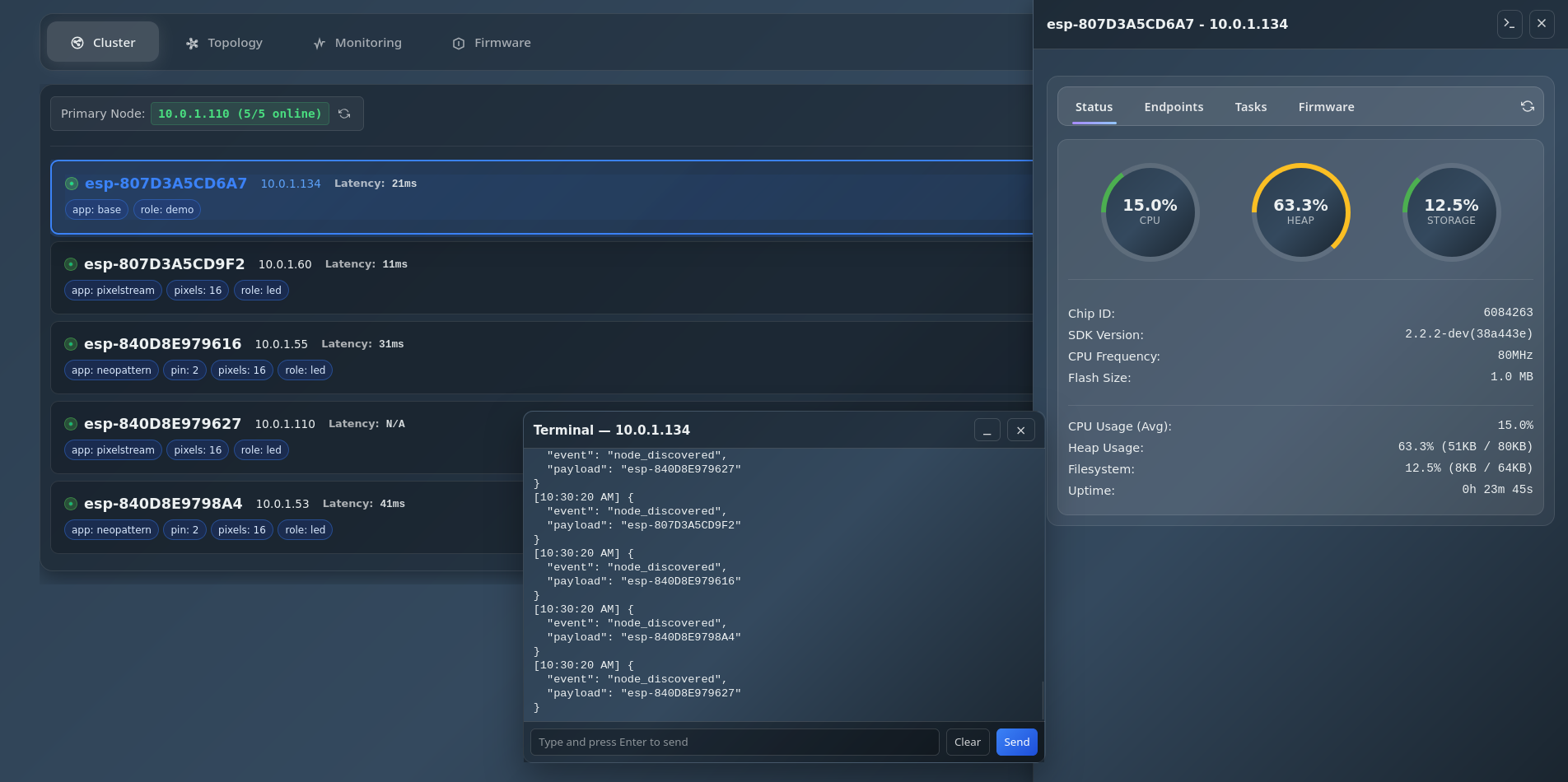
Real-time cluster member overview with auto-discovery
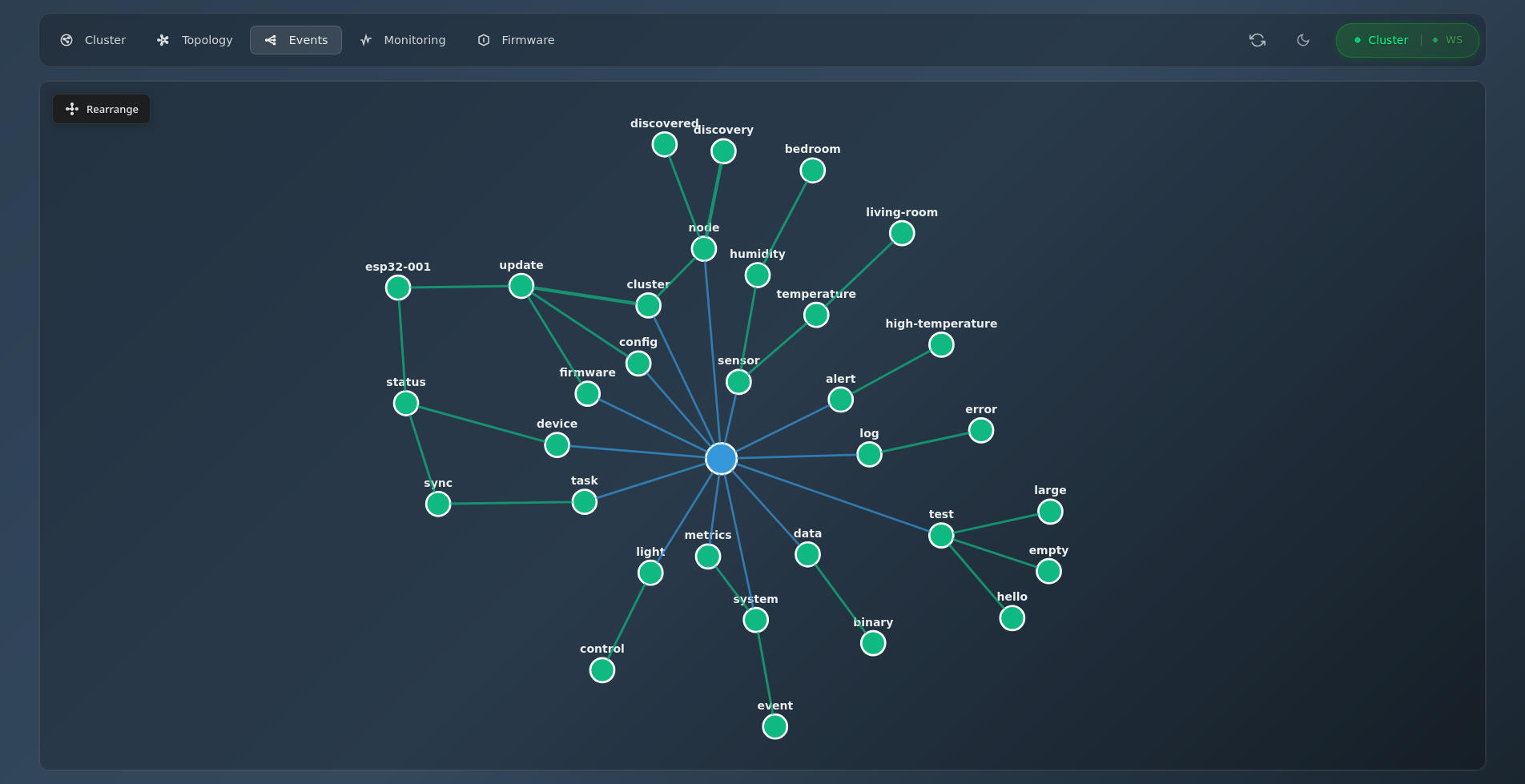
Real-time event flow visualization with interactive graph
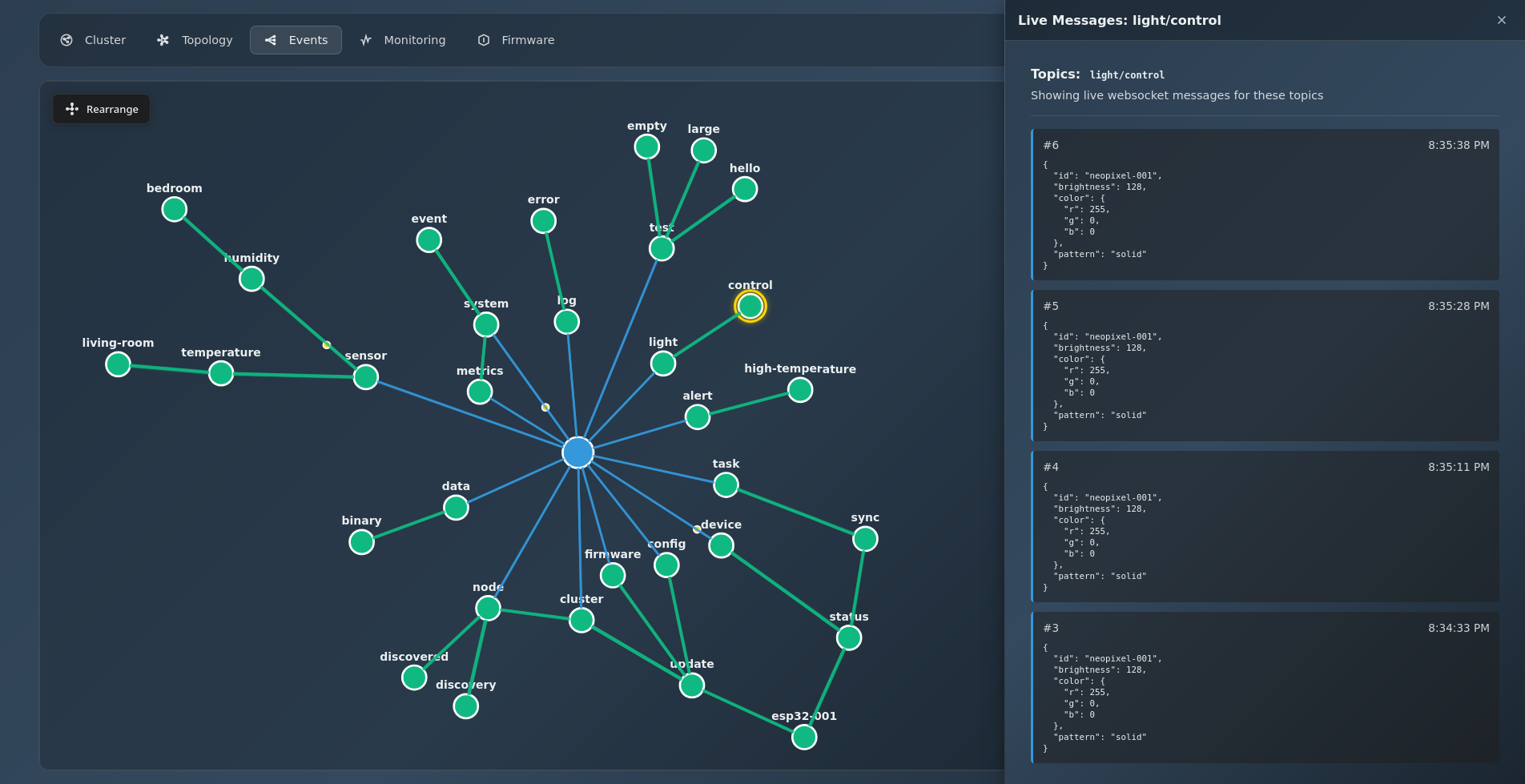
Live event message viewer for topic inspection
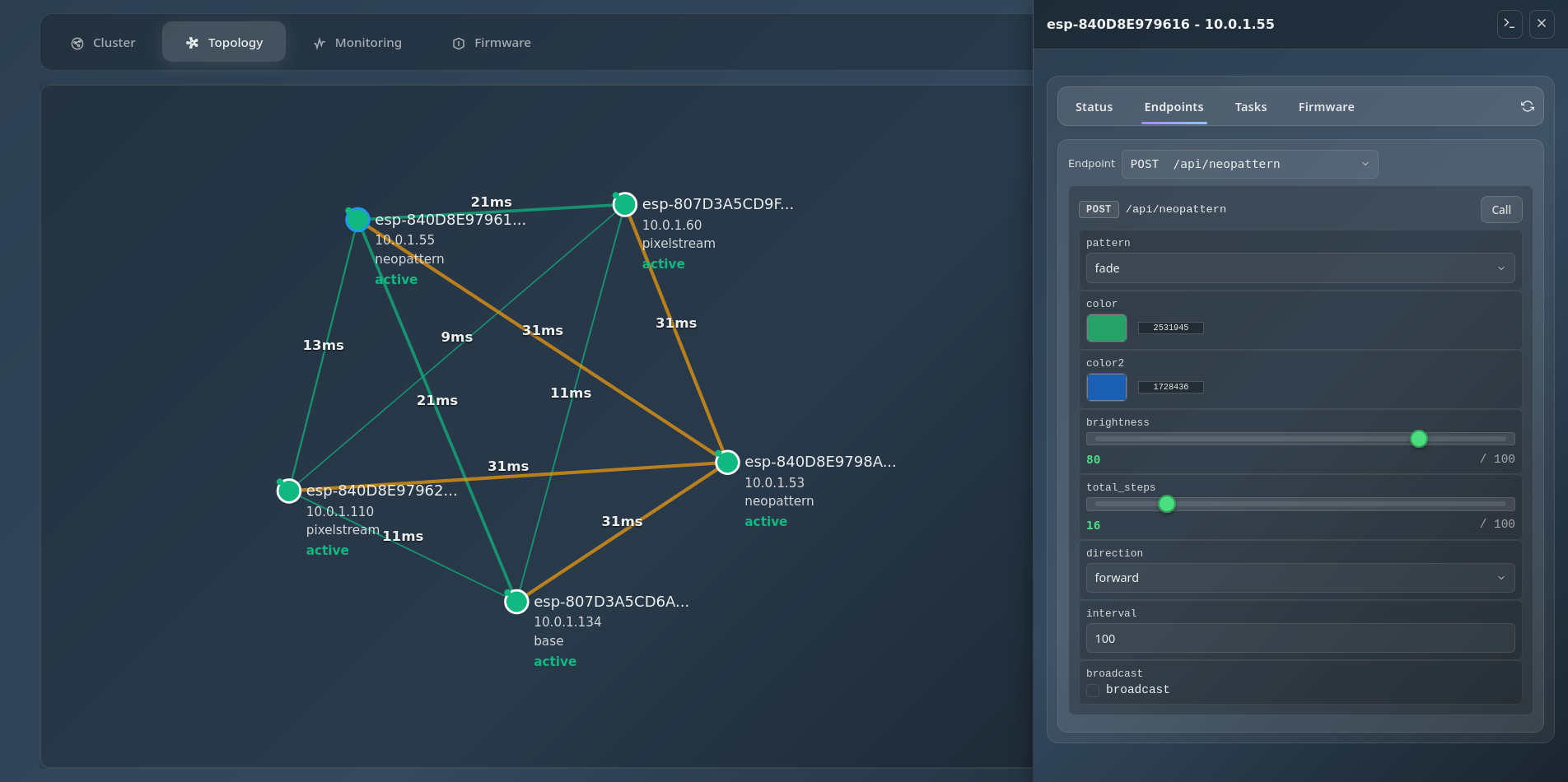
Network topology visualization with node relationships
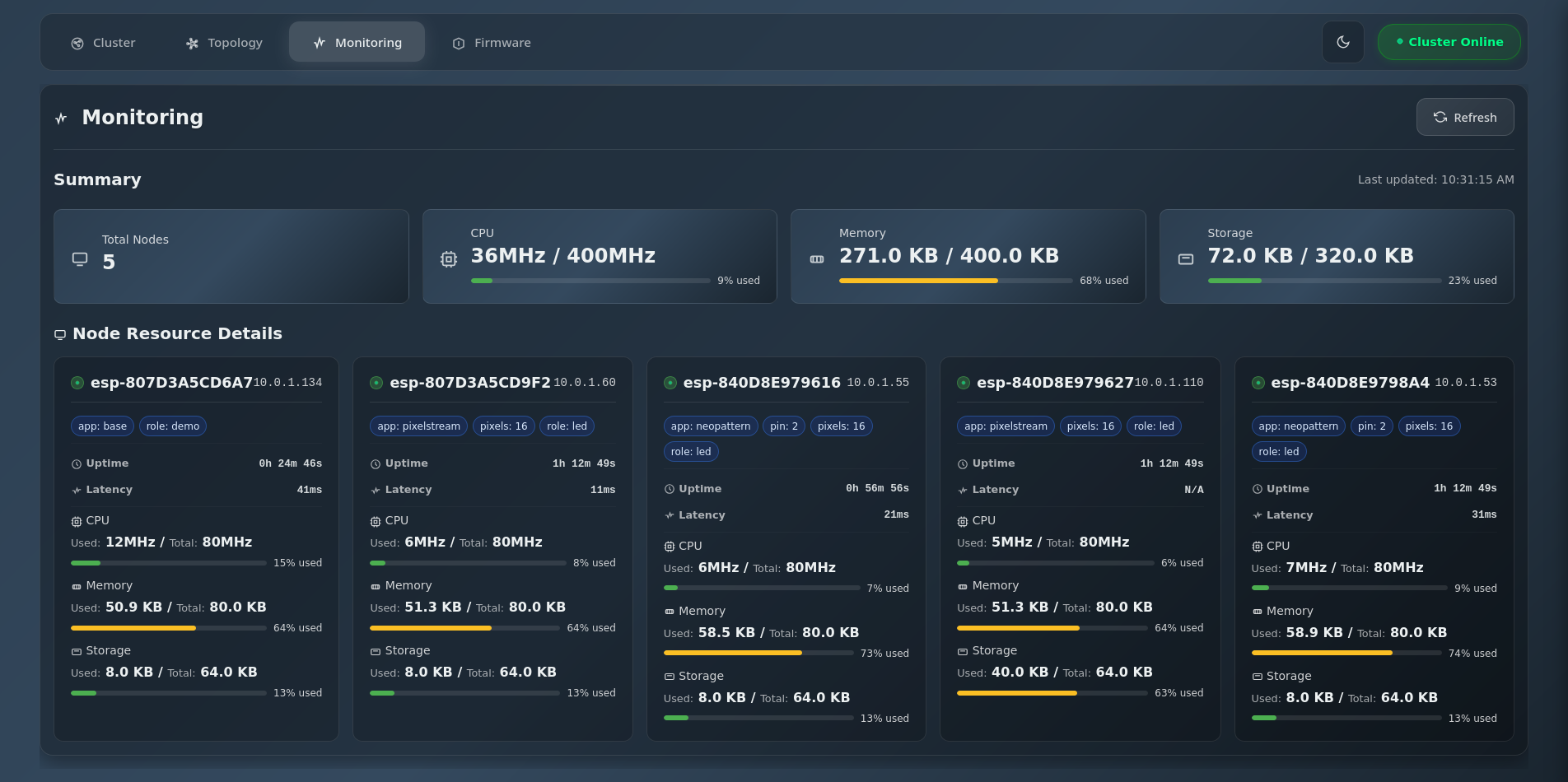
Detailed system metrics and task monitoring
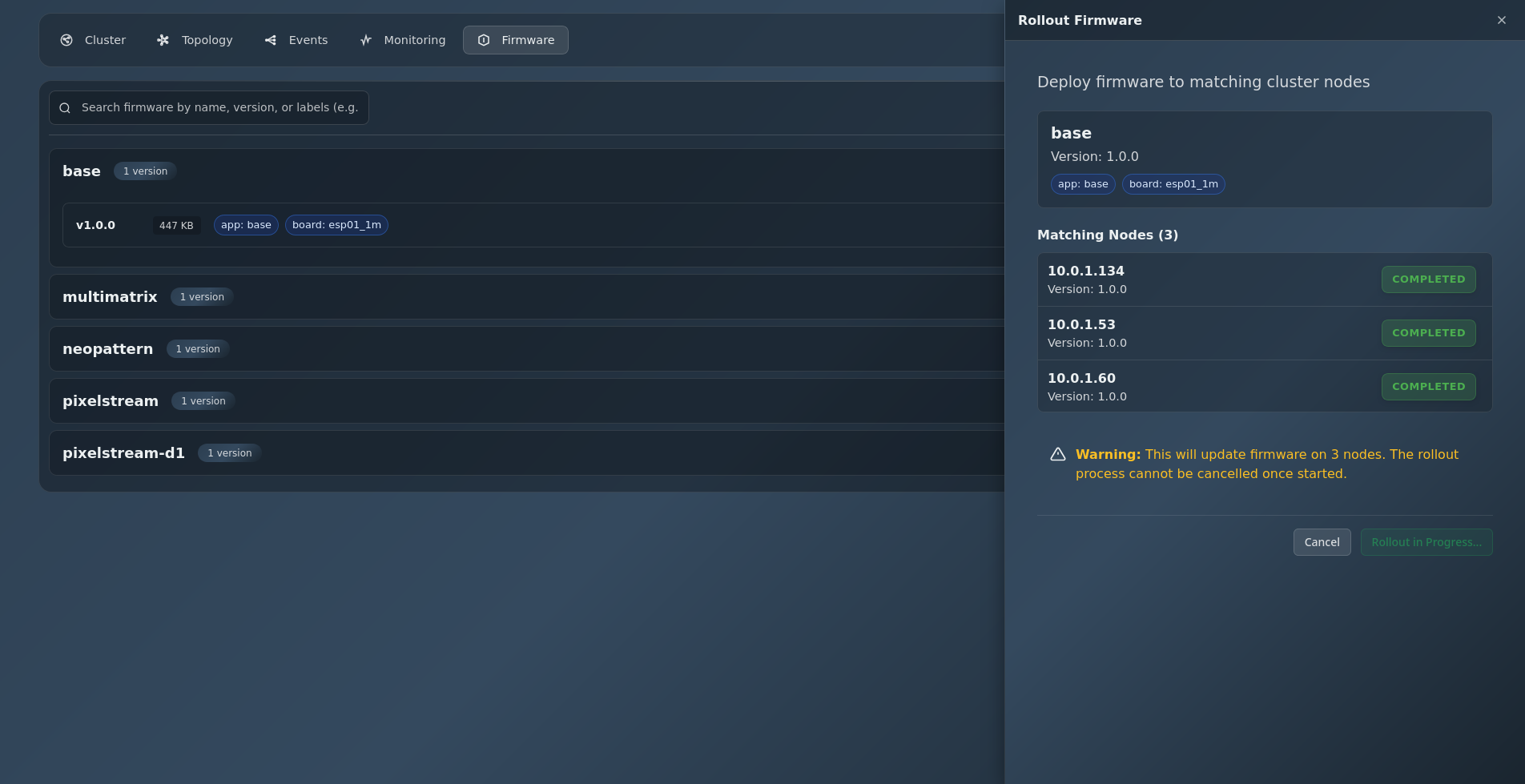
Clusterwide over-the-air firmware updates
Features
- Cluster monitoring with real-time status updates
- Events visualization showing real-time event flow as an interactive force-directed graph
- Event tracking with animated golden dots showing data flow through cluster topics
- Node details including running tasks and available endpoints
- Direct HTTP API access to all nodes in the cluster
- Over-the-air firmware updates for entire cluster
- WebSocket terminal for direct node interaction
- UDP auto-discovery eliminates hardcoded IP addresses
- Responsive design for all devices
Technology Stack
- Backend: Express.js, Node.js
- Frontend: Vanilla JavaScript, CSS3, HTML5
- Architecture: Custom component-based framework
Apps
Application suite built on SPORE
Explore applications that extend SPORE.
- LEDLab — Real-time LED matrix animation streaming and visual preset editor
LEDLab
Real-time LED matrix animation streaming and visual preset editor
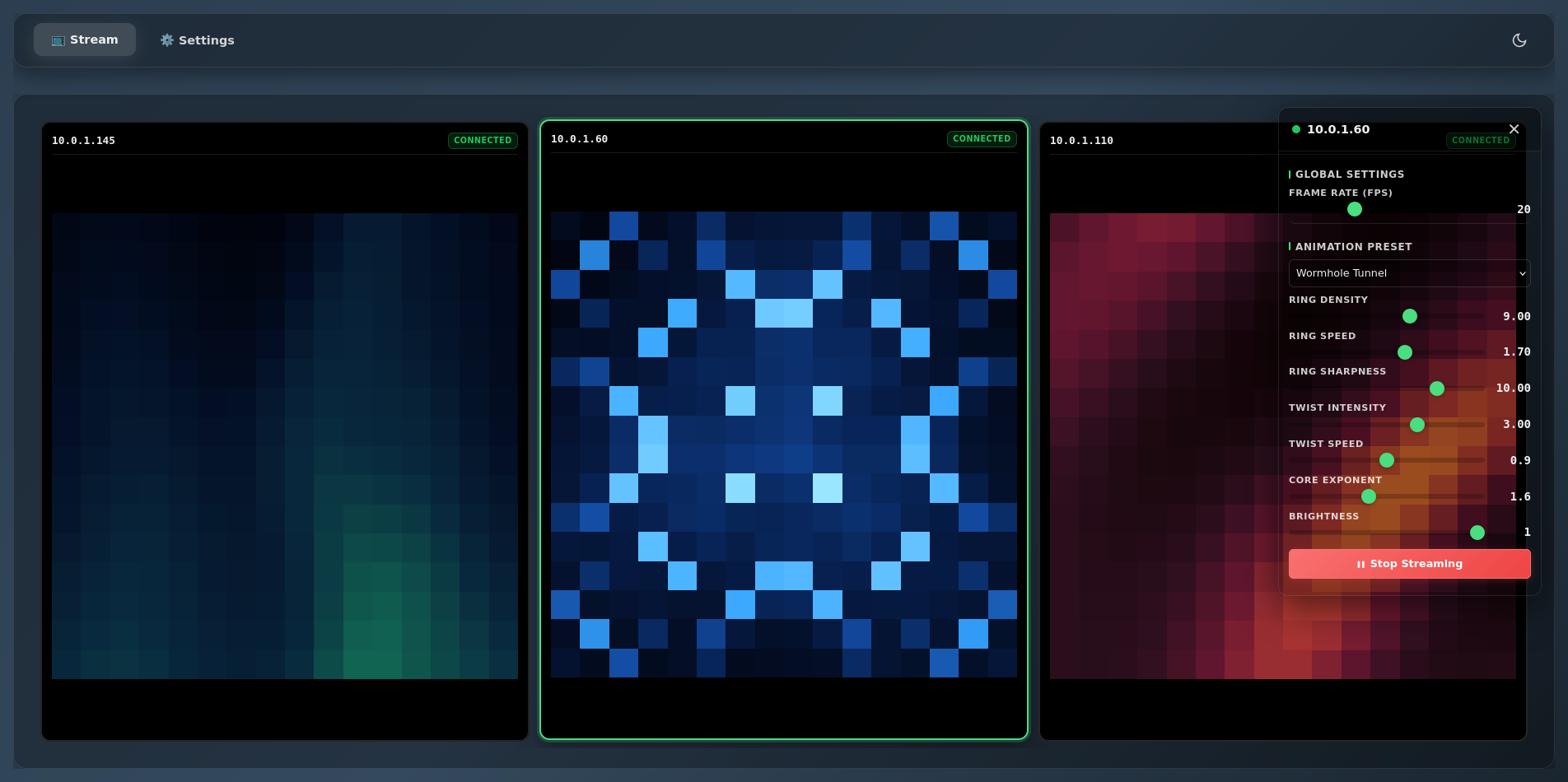
Multi-node management with live canvas preview
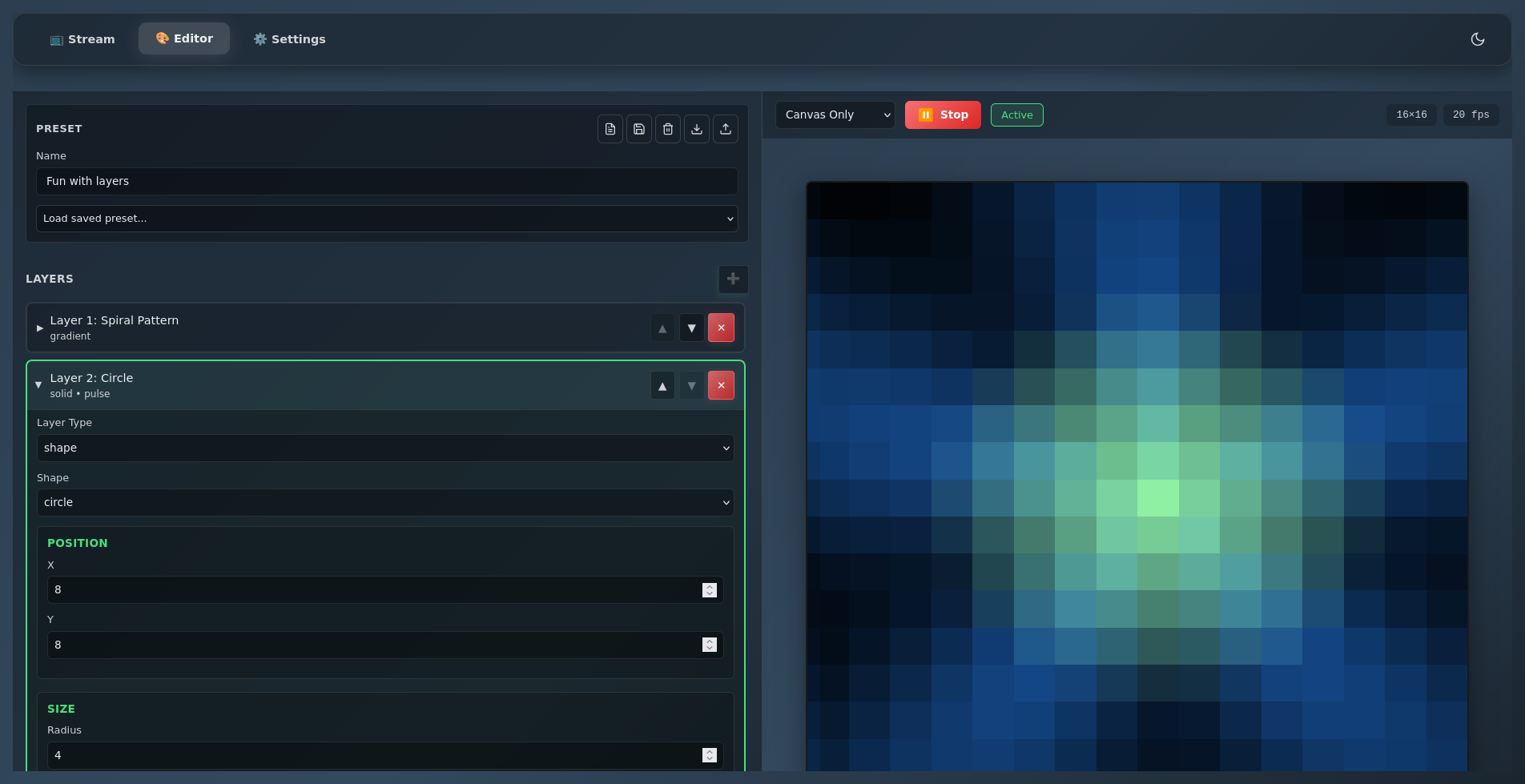
Visual preset editor with building blocks
Firmware Requirements
LEDLab requires SPORE nodes running the PixelStreamController firmware, which handles UDP-based RGB data streaming to NeoPixel strips and matrices. The firmware subscribes to udp/raw cluster events and converts incoming hex-encoded pixel data into real-time LED animations.
Key firmware features include support for both strip and matrix configurations, serpentine (zig-zag) wiring patterns, and configurable pixel counts, brightness, and matrix dimensions. The controller automatically remaps pixel coordinates for proper matrix display.
See PixelStream documentation for more information.
Capabilities
- Multi-node management with individual control
- Real-time canvas preview for each node
- 10+ built-in animation presets (rainbow, lava lamp, aurora, etc.)
- Visual preset editor with reusable building blocks
- Live parameter control with instant feedback
- Import/export custom presets as JSON
- Auto-discovery of SPORE nodes on network
- Configurable FPS (1-60) and matrix dimensions
- Requires SPORE nodes running PixelStreamController
Building Blocks
Deployment
Complete deployment configurations for running the SPORE stack
Docker Compose
Simple deployment with docker-compose for development and production with one command: docker compose up -d
Nomad Orchestration
Production-ready deployment with HashiCorp Nomad for multi-node clustering, rolling updates, and advanced resource management
Complete Stack
All SPORE services included: mosquitto MQTT broker, gateway, registry, UI, and LEDLab with proper networking and volumes
MQTT Integration
Built-in Mosquitto broker for message routing and event streaming with WebSocket support
Data Persistence
All data persisted in local directories for registry data, MQTT data, and firmware storage
Health Monitoring
Built-in service discovery, health checks, and real-time status monitoring for all services
Quick Start
# Clone the deployment repository
git clone https://git.dcentral.systems/iot/spore-deployment.git
cd spore-deployment

# Start all services with Docker Compose
docker compose up -d

# Or start with Nomad (production)
make nomad-start
make nomad-job-run
Services
- mosquitto - MQTT broker (port 1883, WebSocket 9001)
- spore-gateway - Node discovery and WebSocket gateway (port 3001, UDP 4210)
- spore-registry - Firmware registry service (port 8090)
- spore-ledlab - LED animation studio (port 8080)
- spore-ui - Web UI for cluster management (port 3000)
Access Points
Once deployed, access the services at:
- Web UI: http://localhost:3000
- LED Lab: http://localhost:8080
- Registry API: http://localhost:8090
- Gateway API: http://localhost:3001
- MQTT Broker: tcp://localhost:1883
- Nomad UI: http://localhost:4646 (Nomad deployments only)
Documentation
SPORE Core
- Architecture Guide - System design and implementation
- API Reference - Complete REST API documentation
- Development Guide - Build, deployment, configuration
- Task Management - Background task system
- Cluster Broadcast - Event distribution protocol
- Streaming API - WebSocket integration
SPORE UI
- Getting Started - Installation and setup
- Events View - Real-time event visualization
- UDP Auto Discovery - Network discovery protocol
- API Spec - Backend API reference (OpenAPI)
- Component Framework - Custom UI architecture
SPORE Gateway
- Getting Started - Installation and usage
- MQTT Integration - MQTT message forwarding
- Rollout Process - Firmware rollout orchestration
- API Spec - Gateway API reference (OpenAPI)
SPORE Registry
- Getting Started - Installation and usage
- Architecture - System design and structure
- API Spec - Registry API reference (OpenAPI)
- UI Integration - Registry integration with UI
SPORE LEDLab
- Quick Start - Installation and usage
- Preset Editor - Visual animation builder
- Custom Presets - JSON format and examples
- Building Blocks - Reusable components
- Multi-Node Management - Cluster control
- PixelStream Controller - Required SPORE node firmware
SPORE Deployment
- Getting Started - Complete deployment guide
- Nomad Deployment - Production orchestration
- Docker Compose - Development configuration
Getting Started
SPORE Core
# Build and flash firmware
./ctl.sh build target esp01
./ctl.sh flash target esp01
SPORE Gateway
# Build and start
go mod tidy
go build
./spore-gateway

# With MQTT integration
./spore-gateway -mqtt tcp://localhost:1883
SPORE Registry
# Build and start
go mod download
go run main.go

# Or build and run
go build -o spore-registry
./spore-registry
SPORE UI
# Install and start
npm install
npm start

# Open browser
http://localhost:3001
SPORE LEDLab
# Install and start
npm install
npm start

# Open browser
http://localhost:3000
SPORE Deployment
# Docker Compose (dev)
docker compose up -d

# Nomad (production)
make nomad-start
make nomad-job-run